
Introduction
Installation and initial setup
The algoseek-connector library is installed from the Python Package Index using the pip command:
pip install algoseek-connector
It is highly recommended to install the library in a virtual environment.
Getting help
You can contact Algoseek support or check the project discussions at GitHub.
Reporting an issue
Your feedback is essential for improving Algoseek connector and making it more reliable. If you encounter a problem or bug, please report it using the repository’s issue tracker.
When reporting an issue, it’s helpful to include the following details:
A code snippet that reproduces the problem.
If an error occurs, please include the full traceback.
A brief explanation of why the current behavior is incorrect or unexpected.
For guidance on how to write a clear and effective issue report, refer to this post.
Before submitting a new issue, please search the issue tracker to see if the problem has already been reported.
If your question is about how to achieve a specific task or use the library in a certain way, we recommend posting it in the GitHub Discussions section, rather than the issue tracker.
Configuring environment variables
Before using the library for the first time, it is required to set the credentials to access data sources. The recommended way to do this is through environment variables. The following list contains some of the most common variables:
- ALGOSEEK__ARDADB__HOST
The ArdaDB host IP address.
- ALGOSEEK__ARDADB__PORT
The port used in the connection. If not set, port 8123 is used.
- ALGOSEEK__ARDADB__USER
The username to authenticate into ArdaDB.
- ALGOSEEK__ARDADB__PASSWORD
The password to authenticate into ArdaDB.
- ALGOSEEK__S3__PROFILE
A profile name defined in ~/.aws/credentials with access to Algoseek S3 datasets. If this variable is defined, ALGOSEEK__S3__ACCESS_KEY_ID and ALGOSEEK__S3__SECRET_ACCESS_KEY are ignored.
- ALGOSEEK__S3__ACCESS_KEY_ID
Access ID to Algoseek S3 datasets.
- ALGOSEEK__S3__SECRET_ACCESS_KEY
Access key to Algoseek S3 datasets.
Refer to this guide for an in-depth explanation on how to set the user configuration.
Getting started
The algoseek-connector library provides means to retrieve data from the different data sources that the users has access to in a straightforward, pythonic way.
We provide first an introduction to the library main components and facilities. Alternatively, Jupyter
notebooks with examples are also available in the examples directory of the library
GitHub repository.
The ResourceManager is the first point of contact to fetch data.
It manages available data sources for an user:
import algoseek_connector as ac

manager = ac.ResourceManager()
the list_data_sources() method produces a list of
available data sources to connect to:
manager.list_data_sources()
Currently, two data sources are available: ArdaDB and S3. In the following sections we will use the
ArdaDB data source as an example, which can be created with the
create_data_source() method:
data_source = manager.create_data_source("ArdaDB")
DataSources and DataGroups
The DataSource class manages the connection to Algoseek’s datasets.
It groups related datasets into data groups. If we think in terms of relational databases, a data group is
similar to a database, in the sense that it contains several related datasets (tables). The available data
groups can be retrieved by using the list_datagroups() method:
data_source.list_data_groups()
Also, the groups attribute maintains a collection of the DataGroup
instances available in a data source:
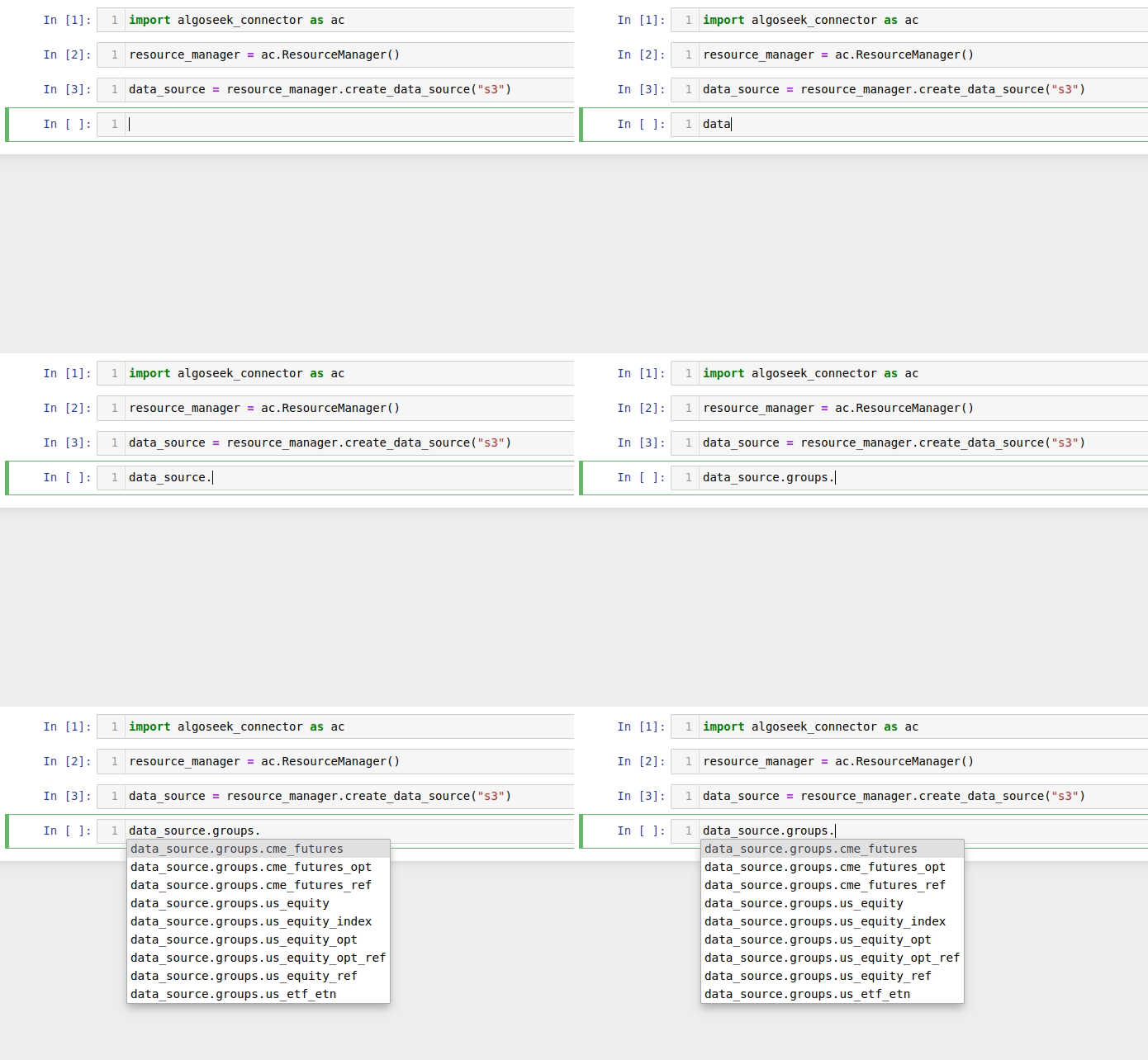
A data group is created either by using the fetch method of the corresponding group:
group = data_source.groups.USEquityData.fetch()
or, equivalently, by using the fetch_datagroup() method:
group = data_source.fetch_datagroup("USEquityData")
In a similar way to data sources, data groups allows to list datasets:
group.list_datasets()
Available datasets are also listed in the datasets attribute:
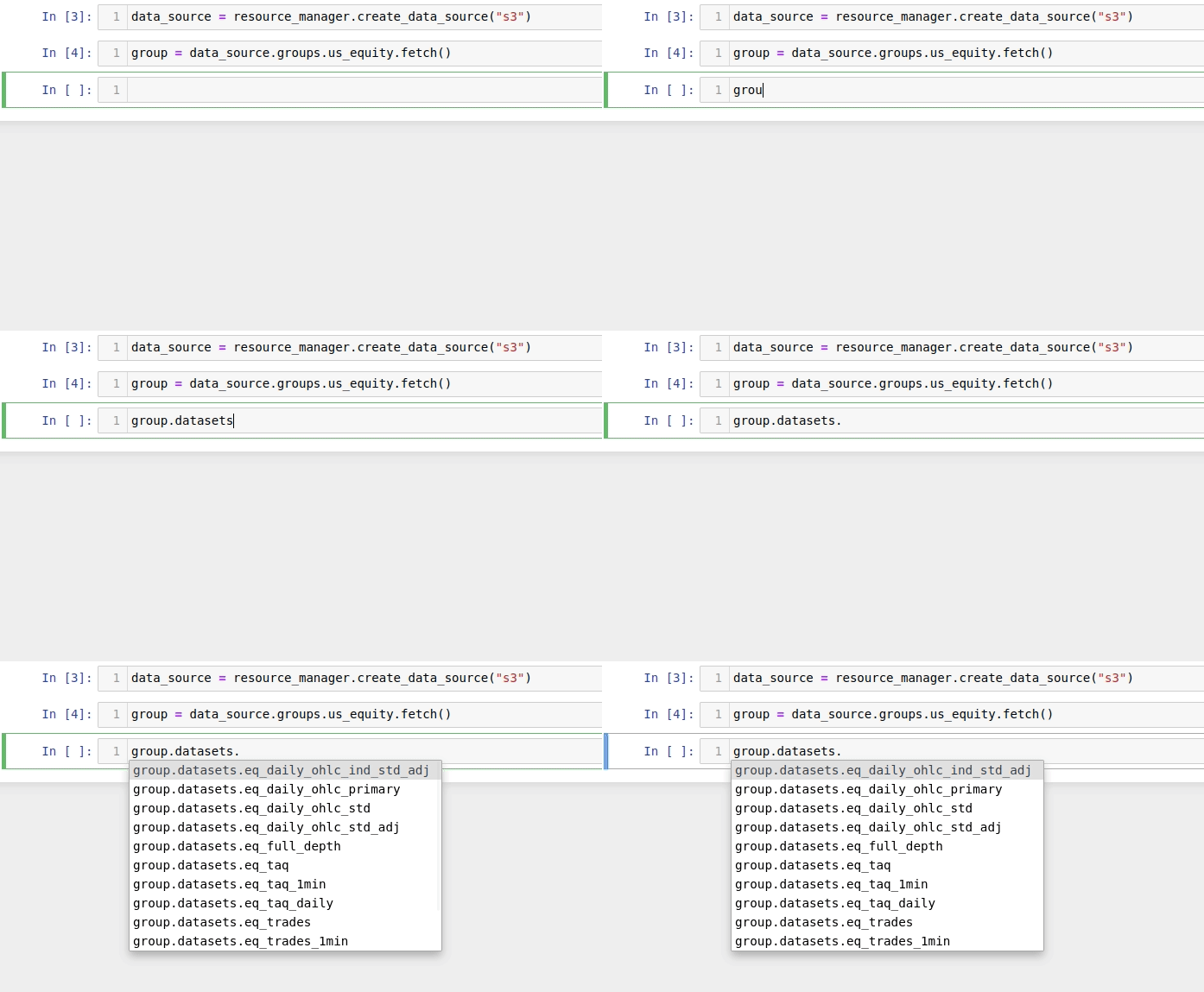
The members of the datasets attribute are instances of DataSetFetcher,
which are a proxy for dataset querying and downloading, and are discussed in the next section.
DatasetFetchers and DataSets
The DataSetFetcher class is a lightweight representation of algoseek
datasets. If working on a jupyter notebook environment, the dataset description can be displayed, with links
to sample data and documentation:
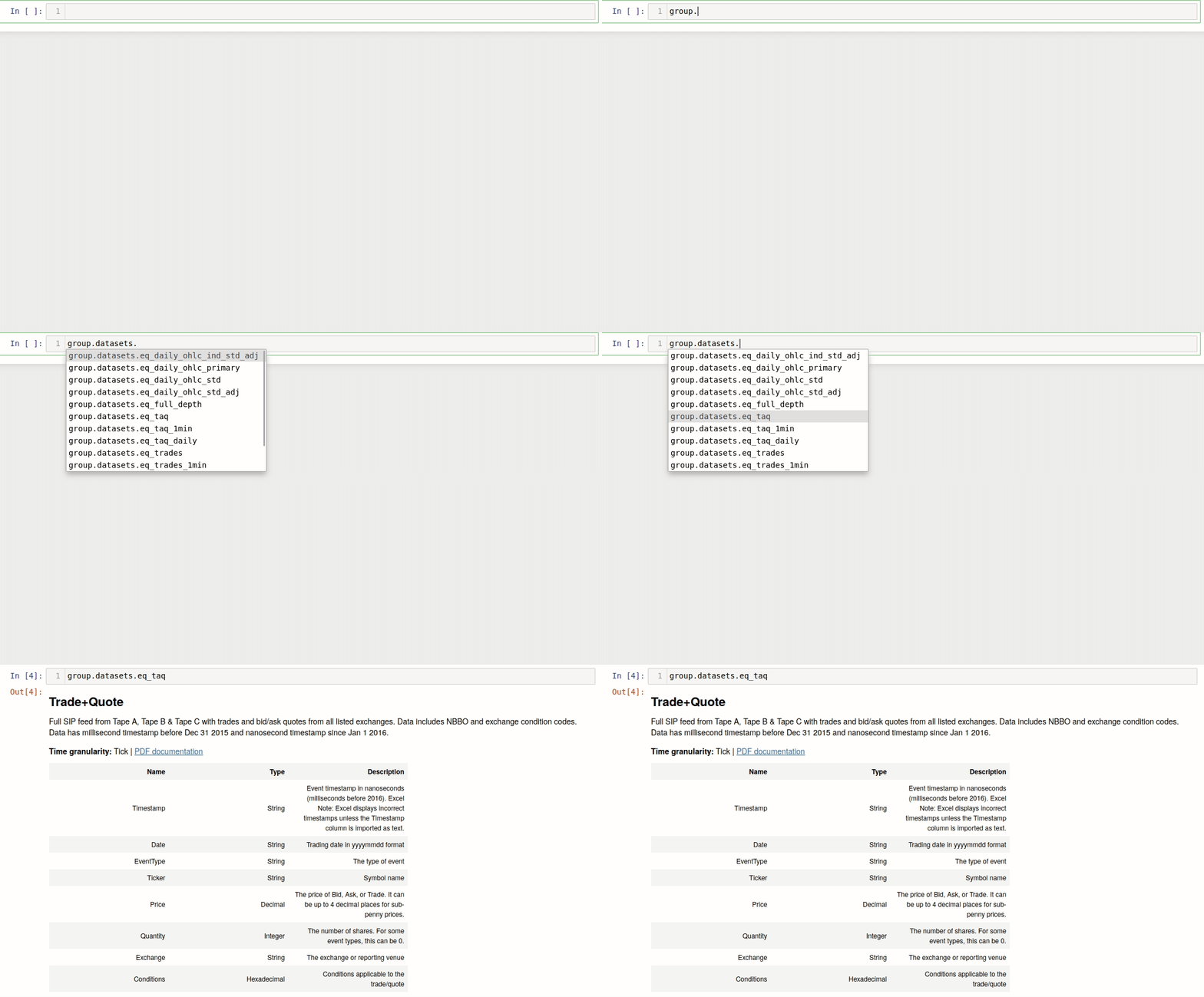
DataSetFetchers are responsible for downloading dataset files and for creating DataSet
instances that are able to query data using SQL. Data from S3 datasets is retrieved through the
download() method, which downloads dataset files and allows
filtering data by date, symbols and expiration date in the case of options and futures datasets. See here
for an example of downloading data from S3 datasets. To retrieve data from ArdaDB, a
DataSet must be created using the fetch method:
dataset = group.datasets.TradeAndQuote.fetch()
The DataSet class uses the query creation engine from
SQLAlchemy, providing an intuitive interface for data retrieval.
Retrieving data is a two-step process: first, a Select
statement is created using the select() method, and
then the data is retrieved using one of the several available fetch methods:
fetch()Fetch data using Python natives types.
fetch_iter()Stream data in chunks using Python native types. Useful in cases where the data retrieved does not fit in memory.
fetch_dataframe()Fetch data as a
pandas.DataFrame.fetch_iter_dataframe()Stream data in chunks using
pandas.DataFrame. Useful in cases where the data retrieved does not fit in memory.
In the next section we present the workflow for query construction on ArdaDB.
Working with the ArdaDB data source
We cover first the case of creating an ArdaDB data source in the case where DB credentials are not stored in environment variables. In this case they must be passed manually:
# dummy values used, replace with your own
credentials = {
    "host": "0.0.0.0"
    "port": 8123,
    "username": "username",
    "password": "password"
}
data_source = manager.create_data_source("ArdaDB", **credentials)
Once an ArdaDB data source is created, datasets are fetched as described above:
group = data_source.groups.USEquityData.fetch()
dataset = group.datasets.TradeAndQuote.fetch()
With a dataset instance created, data is queried using SQL-like constructs that are built using the method-chaining pattern. As an example, the following code block retrieves the first ten rows from a dataset:
stmt = dataset.select().limit(10)
data = dataset.fetch(stmt)
The first line creates a Select object. In the second line,
the select statement is used to retrieve data using the fetch()
method. The fetch method retrieves data using Python native objects. In the case where the data resulting
from a query is large, the results can be split in chunks, reducing the memory burden. For example,
the fetch_iter_dataframe() yields even-sized data chunks
using pandas.DataFrame:
stmt = data.select.limit(1000000)
chunk_size = 100000
for df in dataset.fetch_iter_dataframe(stmt, chunk_size):
    print(df.head())
    # do something with each data chunk...
The size parameter is not a hard threshold on the chunk size, so the actual data chunk size may vary depending on the DBMS.
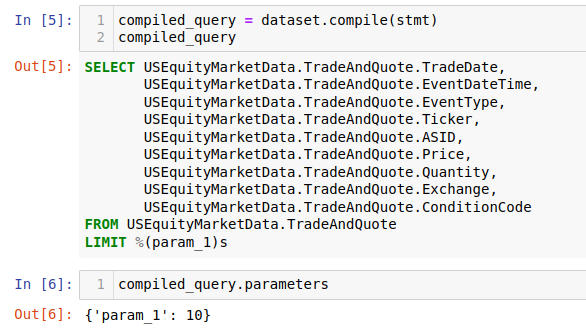
It is often useful to see the SQL statement that will be executed before sending it to the DB.
This can be done using the compile() method, which
creates a CompiledQuery, which is a simple data class that
stores a string representation of the parametrized query in the sql attribute and the query
parameters in the parameters attribute. If working on a Jupyter notebook environment, the
compiled query can be used to display the query as a code block:
Creating select statements is a topic on its own. Refer to this guide for a detailed description on how to create more complex select statements.
Once data is retrieved from a dataset, several facilities are available for exporting data.
If the data was fetched using Python native types, then, for example, export to a JSON string
or a JSON file is easily achieved using the functions json.dump() or json.dumps()
from the standard library. If the data was queried as a pandas.DataFrame, several
options are available as methods, that are generally named using the convention to_, for
example, exporting as csv is achieved using the pandas.DataFrame.to_csv(). Finally,
data may be exported as a csv to a S3 object using the store_to_s3()
method, which takes as input a select statement and sends the data to S3 data directly from
the DB. The following code block stores the data generated in the previous example into an S3 object:
store_params = {
    "bucket": str,  # the bucket name to store the data
    "key": str, # the object name
    "aws_access_key_id": "aws_access_key_id"
    "aws_secret_access_key": "aws_access_key_id",
}

dataset.store_to_s3(stmt, **store_params)
It is important to note that, besides write access to the bucket, the bucket must exists in order to write the object. Otherwise, an error will occur.
Working with the S3 data source
We cover first the case of creating an S3 data source in the case where DB credentials are not stored in environment variables. In this case they must be passed manually:
# dummy values used, replace with your own
credentials = {
    "aws_access_key_id": "aws_access_key_id",
    "aws_secret_access_key": "aws_secret_access_key",
}
data_source = manager.create_data_source("s3", **credentials)
Once an S3 data source is created, data can be downloaded from the dataset using the download method:
from pathlib import Path

group = data_source.groups.us_equity.fetch()
dataset_fetcher = group.datasets.eq_taq

# create download dir if it does not exists
download_path = Path(".")
download_path.mkdir(exist_ok=True)

# set date range and symbol filters
date_range = ("20230701", "20230731")
symbols = ["ABC", "CDE"]
dataset_fetcher.download(
    download_path, date=date_range, symbols=symbols
)
The download() method supports file filtering
by symbols, date range and expiration date for futures and options datasets. For detailed
information on how to use the download method, refer to the API documentation.
It is important to be careful when selecting which data to download as large amounts of data will result in higher costs associated with the usage of the S3 service. Currently, a hard threshold for downloading data in a single call is set to 1 TiB, to avoid excessive data costs from S3. This threshold can be updated by modifying the Configuration.